
Get Started
Download and Deployment
Windows
- Download the latest release
- Run
./bin/vigie-waf-rust.exein the project root directory
Linux
- Download the latest release
- Run
./bin/vigie-waf-rustin the project root directory
Run with Docker (Recommended)
Because vigie-waf supports OTA upgrades, do not run only from files baked inside the container if you want OTA. Using a host-mounted project directory is recommended.
docker run -it -p 80:80 -p 443:443 \
  -v your_path:/app \
  pcloth/vigie-waf-rust:latest \
  -e ADMIN_USERNAME=admin \
  -e ADMIN_PASSWORD=admin123 \
  -e JWT_SECRET=298347sjfi#2212 \
  bash -c "export RUST_LOG=debug && /app/bin/vigie-waf-rust & while true; do echo hello world; sleep 60; done"
& while true; do echo hello world; sleep 60; donekeeps the container alive during OTA upgrades. If you prefer manual upgrades, you can remove this part. You must changeADMIN_USERNAME,ADMIN_PASSWORD, andJWT_SECRETto your own values.
Initial Setup
Step 1
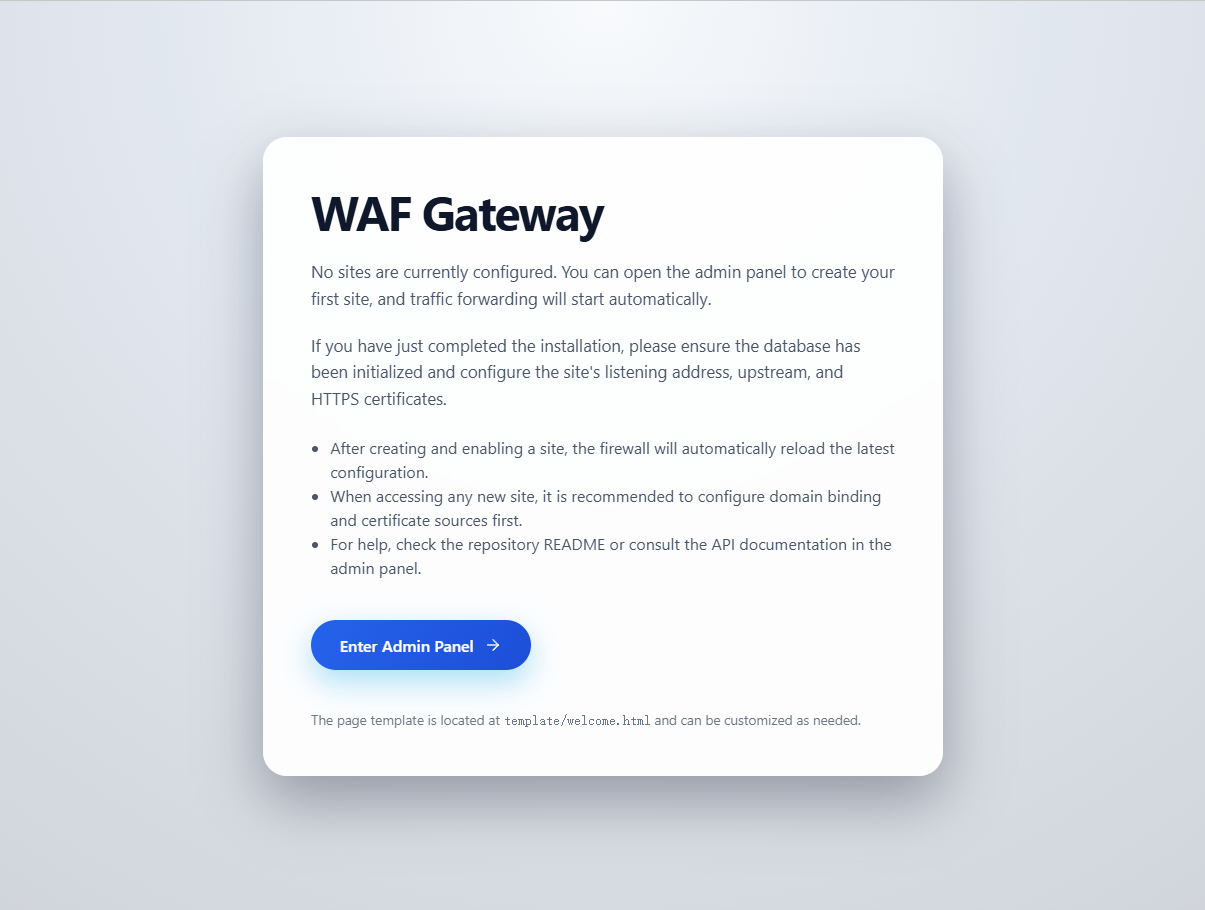
After starting the project, open http://localhost in your browser and you will see the welcome page.
Step 2
Click Enter to open the admin login page.
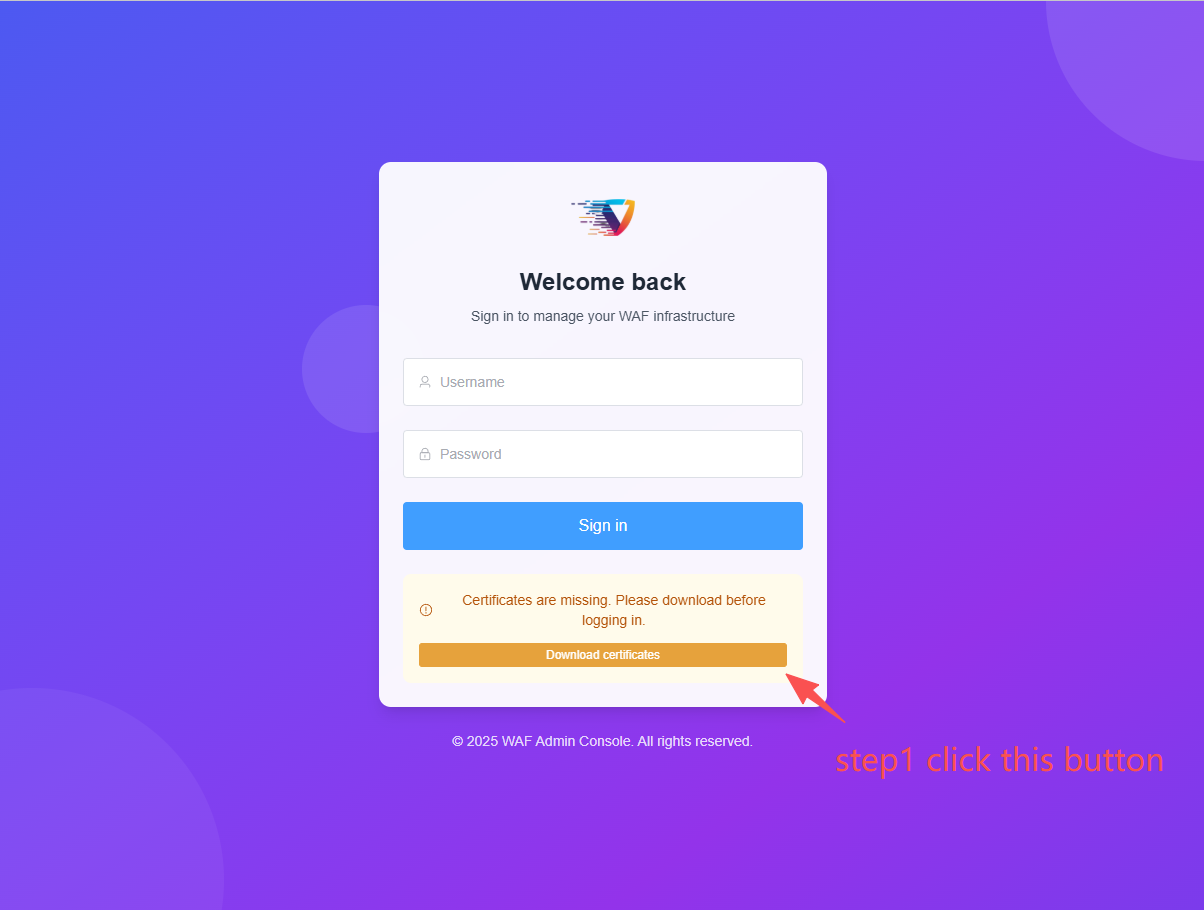
Click the yellow button on the page to download the certificate, then sign in with the username and password you configured in environment variables.
Default username is
admin, default password isadmin123.
Why download the certificate?
All firewall API traffic is encrypted to improve security.
Configuration Guide
Configure Your Site
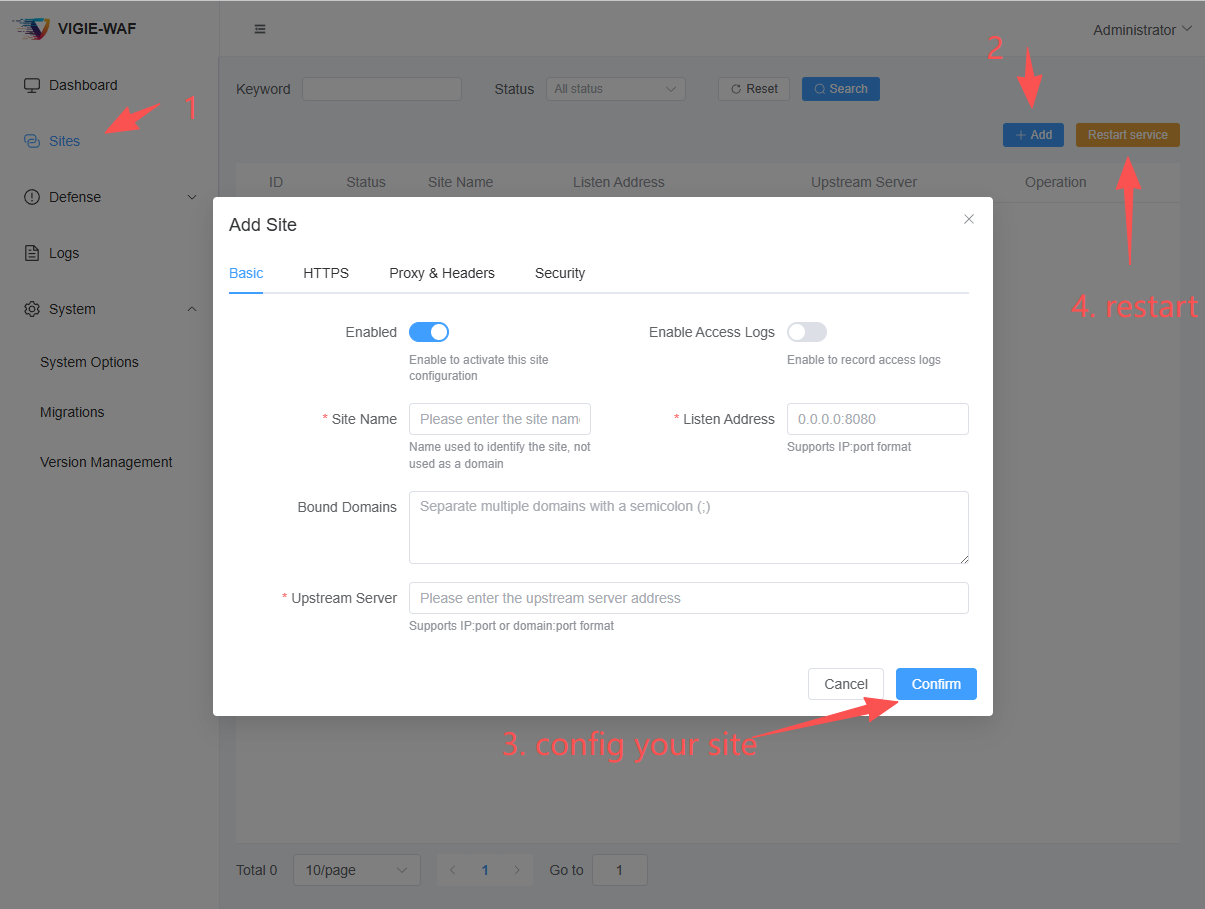
Domain input supports multiple values separated by ;. A common pattern is:
www.abc.com;
abc.com;
Configure HTTPS
- It is recommended to enable HTTPS and then force HTTPS redirection, so all traffic is redirected to the HTTPS port.
- Recommended listen address:
0.0.0.0:443 - If your upstream server also uses HTTPS with a self-signed certificate, skip
upstream certificate verificationor provide the upstream CA certificate. - For manual certificate management, both string mode and file mode are supported.
Self-signed Certificate
Tips
Strongly recommended to enable automatic certificate renewal.
Header and Forwarding Configuration
- Recommended to enable
preserve host header,set X-Real-IP, andappend X-Forwarded-Forso your upstream business service can collect client information. - If firewall is deployed behind nginx, configure
trusted source IPs.
Configure Defenses
Static Resource Exemption
On the Site Settings page, configure Static Resource Exemption. Path input supports ; plus newline separation.
POW Defense
On the Site Settings page, configure POW Defense. Exemption paths support ; plus newline separation, and you can define POW session validity. Recommended max is not more than 86400 seconds. Longer periods use more memory and are less secure; too short harms user experience. Half a day to one day is usually reasonable.
CC Defense
On the Site Settings page, configure CC Defense, including per-IP window duration and request limit. Requests exceeding the limit are rejected.
IP Blacklist
In left menu Defense Strategy, open IP Blacklist. You can add single IPs or CIDR ranges and set expiration time. If no expiration is set, the rule is permanent. Requests from blacklisted sources are rejected.
IP Whitelist
In left menu Defense Strategy, open IP Whitelist. You can add single IPs or CIDR ranges and set expiration time. If no expiration is set, the rule is permanent. Requests from whitelisted sources bypass later defense checks.
Crawler Management
In left menu Defense Strategy, open Crawler Management: You can view recently verified crawler IPs and rule settings for common crawlers. By default, all supported crawlers are allowed.
- You can rate-limit a specific crawler.
- You can block a specific crawler.
Tips
You can also add crawler IP rules manually to handle search engines without reverse DNS support, such as 360 Search. Crawler IP entries support IP ranges. 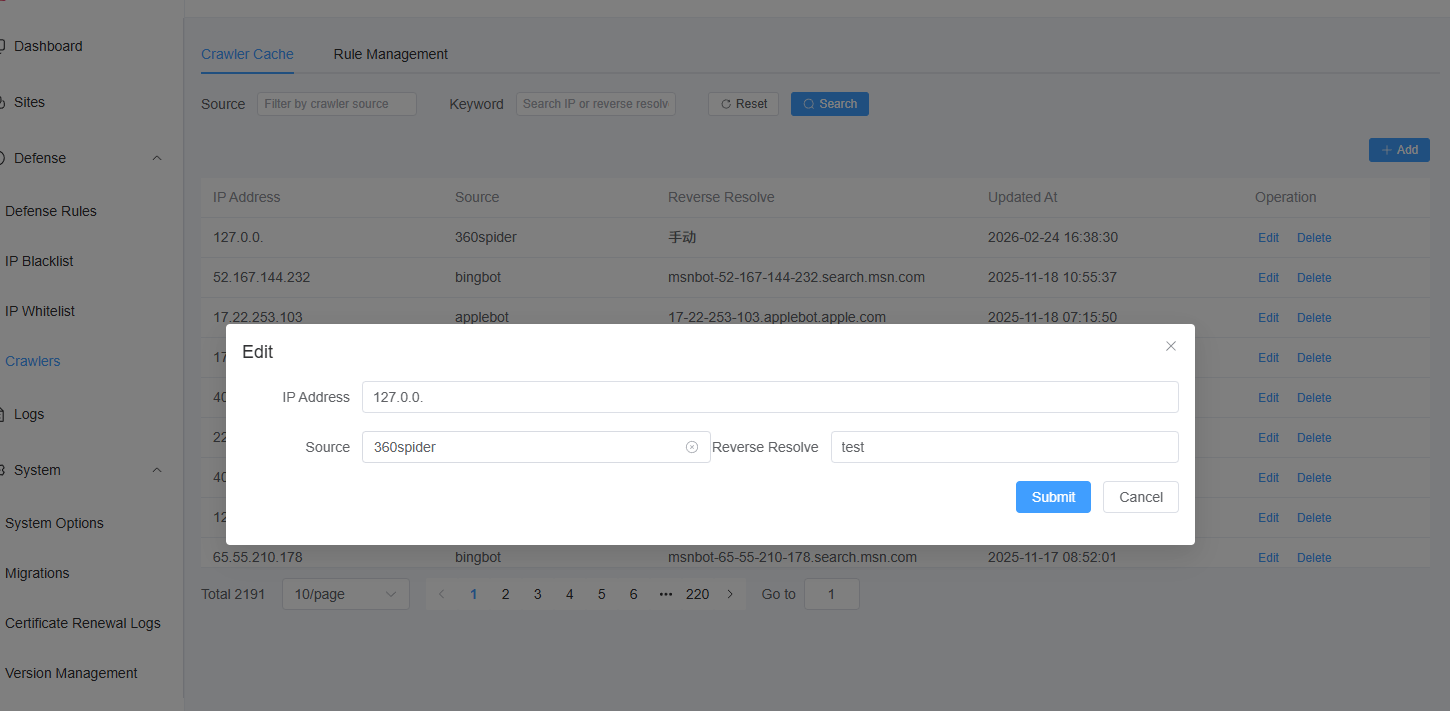
Built-in Defense Order and Custom Defense
In left menu Defense Strategy, open Defense Rules: You can see script entries for the 4 built-in defenses, adjust their order, and edit script content.
You can also define custom defenses via LUA. Example:
-- 4.2: Return values: 0=allow and continue, 1=block, -1=allow and skip following rules

function should_block()
    local req = request
    local user_agent = req.headers["user-agent"] or req.headers["User-Agent"] or ""
    if user_agent == "" then return 1 end

    local client_ip = req.client_ip or req.peer_ip or ""

    -- Delegate to is_verified_crawler (UA case and rule matching handled internally)
    local value = is_verified_crawler(client_ip, user_agent, nil, 0)
    return value
end